
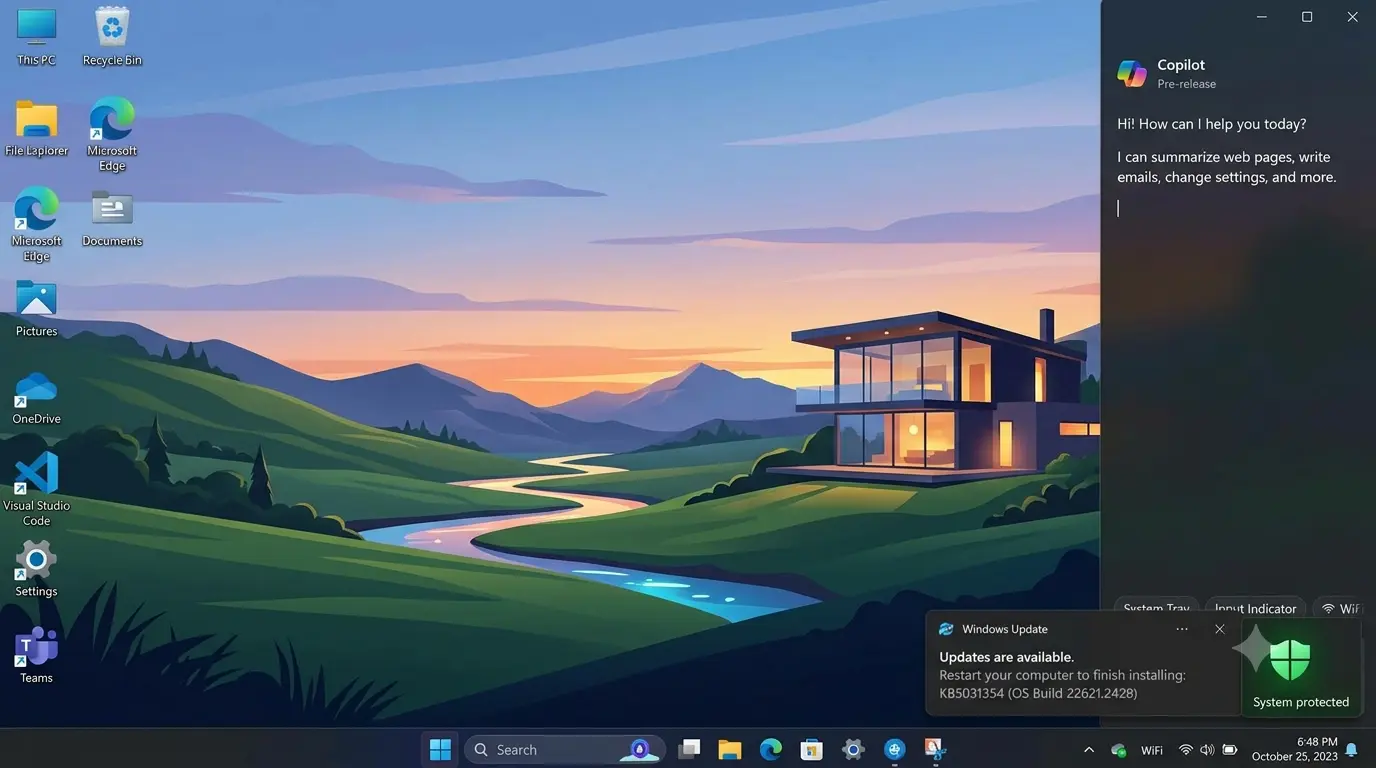
Windows updates often arrive without much attention.
A notification appears.
A restart happens.
Most users continue working.
But some Windows updates bring changes that affect millions of people, even if they do not look exciting at first.
Microsoft’s latest Windows 11 update focuses on improving everyday experiences, including search, security, file management, and control over built-in AI features.
These are not dramatic redesigns.
Instead, Microsoft is addressing smaller frustrations that Windows users have experienced over time.
The bigger story is that Windows is slowly changing from a traditional operating system into a more connected, AI-assisted platform.
What Changed in the Latest Windows 11 Update?
Microsoft continues to refine Windows 11 through regular feature and quality updates.
The latest improvements focus on areas users interact with daily.
Some notable changes include:
- Better Windows Search.
- Improvements to File Explorer.
- Enhanced Windows Hello security.
- More control over AI-related features.
While individual changes may seem minor, together they improve how people use the operating system.
Windows Search Gets Smarter
Windows Search has improved significantly over the years, but it has also been a common source of frustration.
Users often expect search to quickly find:
- Files.
- Applications.
- Settings.
- Documents.
Microsoft has continued improving search performance and reliability.
Better search matters because modern computers contain thousands of files.
Finding information quickly is no longer a luxury.
It is a basic productivity requirement.
For businesses especially, faster access to documents can save significant time.
Security Improvements Continue
Security remains one of the biggest priorities for Windows.
The latest updates include improvements related to Windows Hello Enhanced Sign-in Security.
Windows Hello allows users to sign in using:
- Facial recognition.
- Fingerprints.
- PIN authentication.
Modern authentication methods reduce dependence on traditional passwords.
This matters because stolen passwords remain one of the most common ways attackers gain access to accounts.
However, no security feature works alone.
Users should still maintain:
- Strong passwords.
- Multi-factor authentication.
- Regular updates.
- Careful browsing habits.
File Explorer Improvements
File Explorer is one of the most-used Windows applications.
Small improvements can have a large impact because millions of people use it every day.
Microsoft continues improving:
- File handling.
- Performance.
- User experience.
These changes may not create headlines, but they affect daily productivity.
A smoother file management experience benefits everyone from home users to businesses managing large amounts of data.
More Control Over AI Features
One interesting part of the update is Microsoft giving users more control over built-in AI features.
As AI becomes integrated into operating systems, users have raised questions about:
- Privacy.
- Data usage.
- Optional features.
- System control.
Giving users more control could become increasingly important as Windows adds more AI capabilities.
The future of operating systems will likely involve more AI assistance.
But users will still expect transparency.
Why Windows Updates Matter More Than Before
Windows updates have always been important for security.
But they are becoming important for another reason:
They define how people interact with technology.
Windows is no longer just a place where applications run.
It is becoming a platform that includes:
- AI assistants.
- Cloud integration.
- Security intelligence.
- Connected services.
Each update shapes that direction.
What Does This Mean for Windows 10 Users?
Windows 10 support ended for many users in 2025, making Windows 11 adoption increasingly important.
For users still deciding whether to upgrade, the question is no longer only about appearance.
Windows 11 brings:
- New security features.
- Better hardware support.
- AI-related improvements.
- Modern system architecture.
However, the upgrade decision depends on individual needs.
Older hardware may not support Windows 11 requirements.
Businesses may also need time to test compatibility before moving large numbers of devices.
Should You Install the Latest Windows 11 Update?
For most users, keeping Windows updated is recommended.
Updates usually include:
- Security fixes.
- Bug improvements.
- Compatibility changes.
Before installing major updates, businesses should still test important applications.
Home users generally benefit from staying current.
The risk of remaining on outdated software is often higher than the inconvenience of updating.
The Bigger Picture: Windows Is Becoming an AI Platform
The most important change is not any single feature.
It is the direction Microsoft is taking Windows.
The operating system is becoming more connected with AI.
Future Windows versions may include:
- More AI assistants.
- Smarter search.
- Automated workflows.
- Better personalization.
The challenge will be balancing convenience with privacy and control.
Users want smarter computers.
They also want to understand what those computers are doing.
The Practical Takeaway
The latest Windows 11 update is not a complete transformation.
It is something more practical:
A collection of improvements that make everyday computing better.
Better search.
Better security.
Better control.
As Windows continues moving toward an AI-powered future, these smaller updates will shape how millions of people interact with their computers.