
The Short Answer
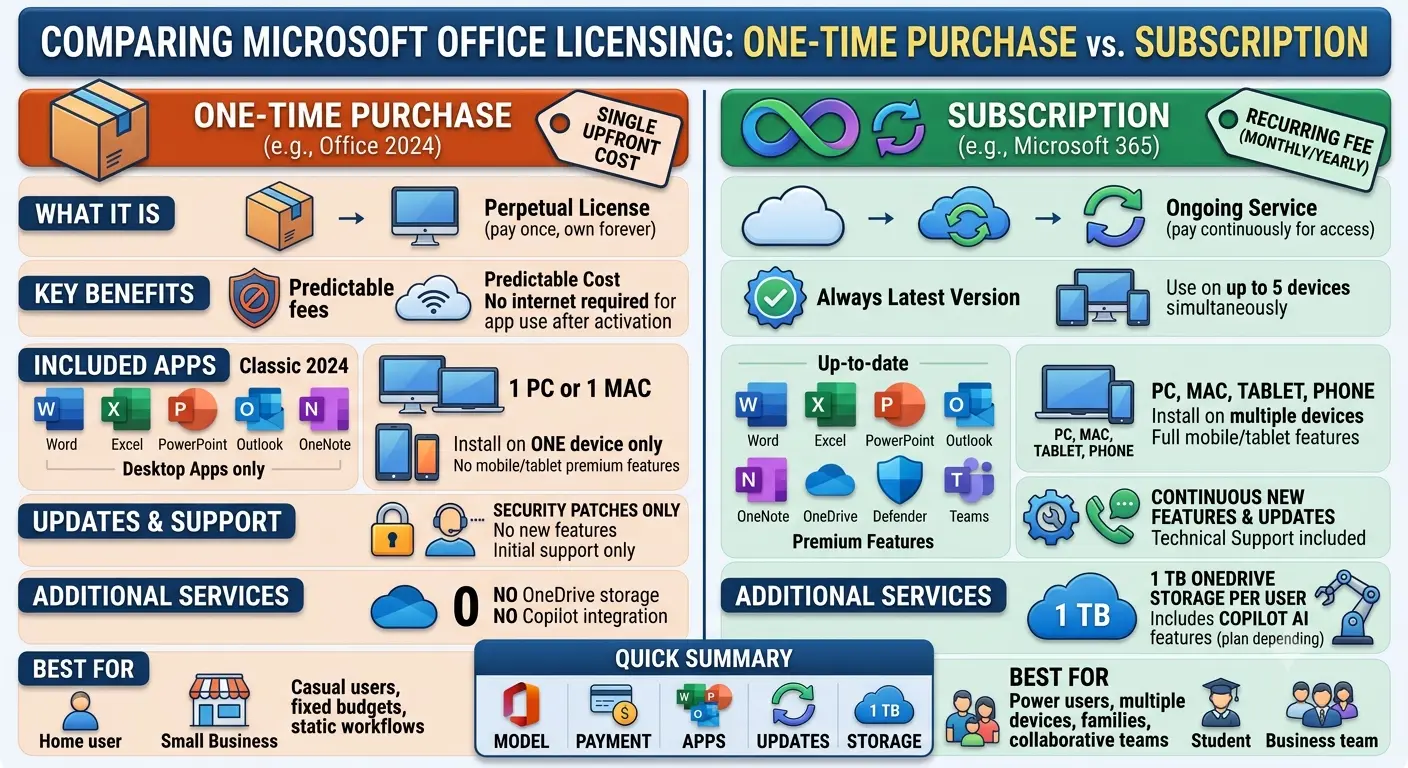
Choose Office Home & Student if you need Word, Excel and PowerPoint on one computer and prefer paying once. Choose Microsoft 365 if you use multiple devices, need OneDrive storage, want regular updates or share Office with others.
Ownership vs Subscription
Office Home & Student is a traditional one-time purchase. Microsoft 365 is a subscription that provides ongoing access to Office applications and connected services.
Office Home & Student
Office Home & Student focuses on core applications such as Word, Excel and PowerPoint. It suits users who need a simple Office setup without recurring payments.
Microsoft 365
Microsoft 365 includes Office applications plus services such as OneDrive storage, multi-device access, regular feature updates and additional tools depending on the plan.
Five-Year Cost Comparison
A one-time Office purchase often costs less over several years. However, Microsoft 365 includes extra services that may replace other subscriptions or storage costs.
Software Updates
Microsoft 365 receives ongoing feature improvements. A purchased Office version stays on the version originally bought while continuing to work.
Who Benefits From Office Home & Student
Occasional users, students, retirees and people who prefer ownership over subscriptions may find better value in a one-time licence.
Who Benefits From Microsoft 365
Professionals, families and users who work across multiple devices often benefit more from the subscription model.
Family Plan Advantage
Microsoft 365 Family can provide better value for households because multiple users receive their own accounts and access.
OneDrive Difference
Cloud storage is one of the biggest advantages of Microsoft 365. It allows files to sync across devices and provides easier access to documents.
Multiple Devices
Users with desktops, laptops, tablets and phones often gain more value from Microsoft 365 because their files and applications follow them.
Support and Long-Term Use
Microsoft 365 follows a continuous update model, while purchased Office versions follow their own support lifecycle.
Common Buying Mistakes
Do not compare only the first payment. Consider whether you will actually use cloud storage, multiple devices and new features.
Decision Guide
Choose Office Home & Student for occasional single-device use. Choose Microsoft 365 Personal for regular users and Microsoft 365 Family for households with multiple users.
Final Verdict
Office Home & Student is best for users who want simple ownership. Microsoft 365 is better for users who want a complete productivity service with updates, storage and flexibility.