
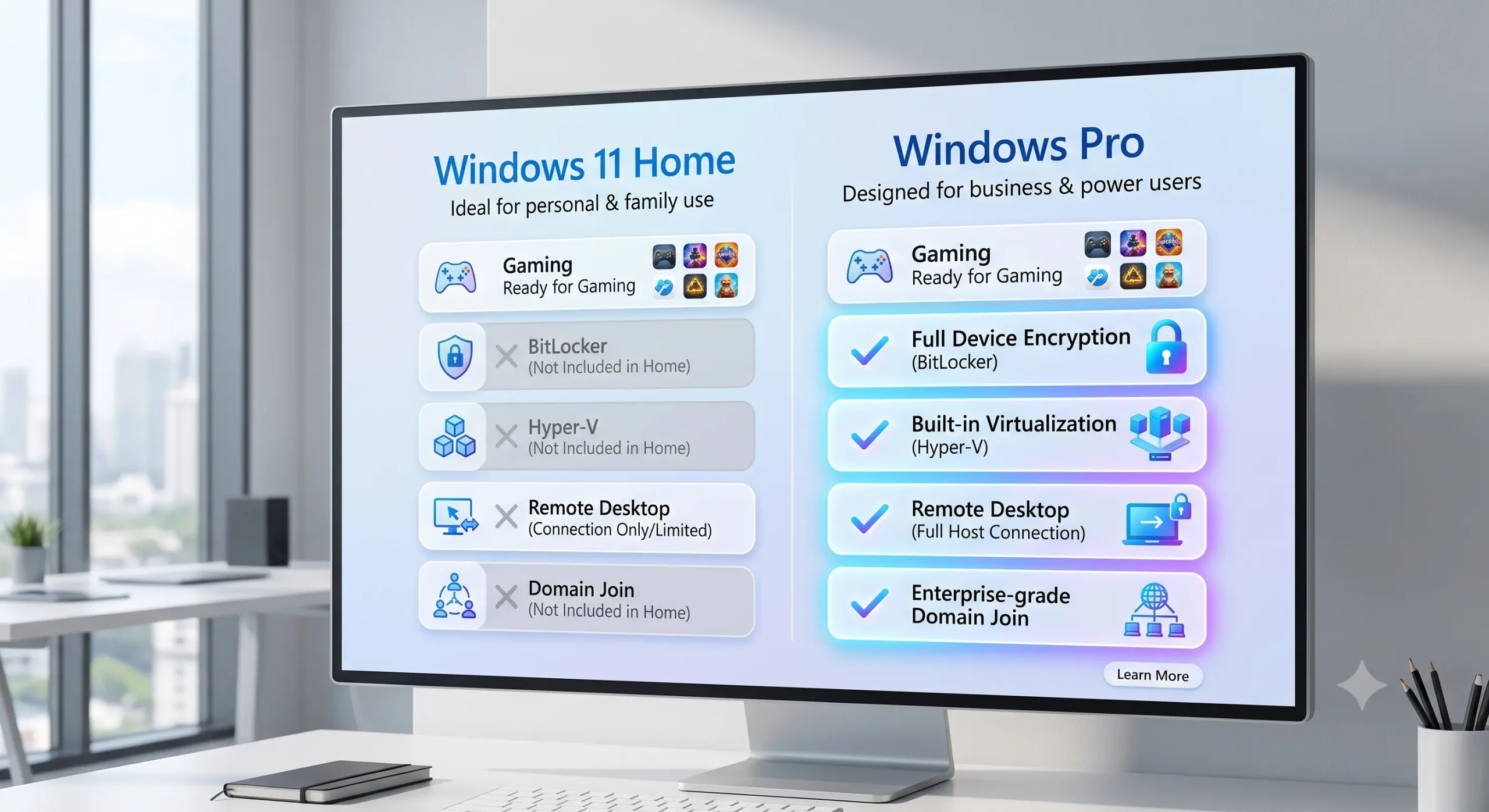
If you’re buying a new computer or installing Windows yourself, one question appears almost immediately: should you choose Windows Home or Windows Pro?
Although Windows Pro sounds like a superior version, both editions share the same operating system, receive the same security updates, and run the same applications. The difference is that Windows Pro includes additional management and business features that most home users never need.
What Both Editions Include
Both Windows Home and Windows Pro provide:
- Microsoft Defender Antivirus
- Windows Update
- Windows Hello
- Microsoft Store
- DirectX gaming support
- Virtual desktops
- Snap Layouts
- File Explorer
- Support for modern hardware
Performance is identical. Windows Pro will not make your computer faster or improve gaming performance.
What Windows Pro Adds
BitLocker
The full version of BitLocker helps protect data if a laptop is lost or stolen.
Remote Desktop Host
Windows Pro allows your PC to be accessed remotely using Microsoft’s Remote Desktop feature.
Hyper‑V
Hyper‑V lets developers and IT professionals run virtual machines.
Group Policy
Administrators can centrally control Windows settings across multiple computers.
Domain Join
Businesses can connect computers to corporate domains and management systems.
Feature Comparison
Windows Home:
- Gaming
- Office
- Streaming
- Web browsing
- Everyday productivity
Windows Pro adds:
- BitLocker
- Hyper‑V
- Remote Desktop Host
- Group Policy
- Domain Join
Who Should Buy Windows Home?
Windows Home is ideal if you:
- Browse the web
- Watch streaming services
- Play games
- Use Microsoft Office
- Study or work from home
- Use a single personal computer
Who Should Buy Windows Pro?
Choose Windows Pro if you:
- Run a business
- Manage multiple PCs
- Need BitLocker encryption
- Use virtual machines
- Require Remote Desktop hosting
- Join business domains
Can You Upgrade Later?
Yes. You can upgrade from Windows Home to Windows Pro without reinstalling Windows, making it safe to start with Home if you’re unsure.
Common Myths
Myth: Windows Pro is faster.
Reality: Performance is effectively identical.
Myth: Gamers need Windows Pro.
Reality: Modern games perform the same on both editions.
Myth: Windows Home is insecure.
Reality: Windows Home receives the same security updates and includes Microsoft Defender. Windows Pro simply adds enterprise security features.
Final Verdict
For most people, Windows Home is the better choice. It delivers everything needed for everyday computing, gaming, entertainment, and productivity.
Choose Windows Pro only if you will actively use features such as BitLocker, Hyper‑V, Remote Desktop hosting, or domain management. Paying extra for tools you’ll never use rarely provides better value.