
The Short Answer
Choose SATA SSDs for normal home use and NVMe SSDs for large file transfers, professional workloads, development, virtual machines and new PC builds. Moving from a hard drive to any SSD is the biggest upgrade.
The Real Difference
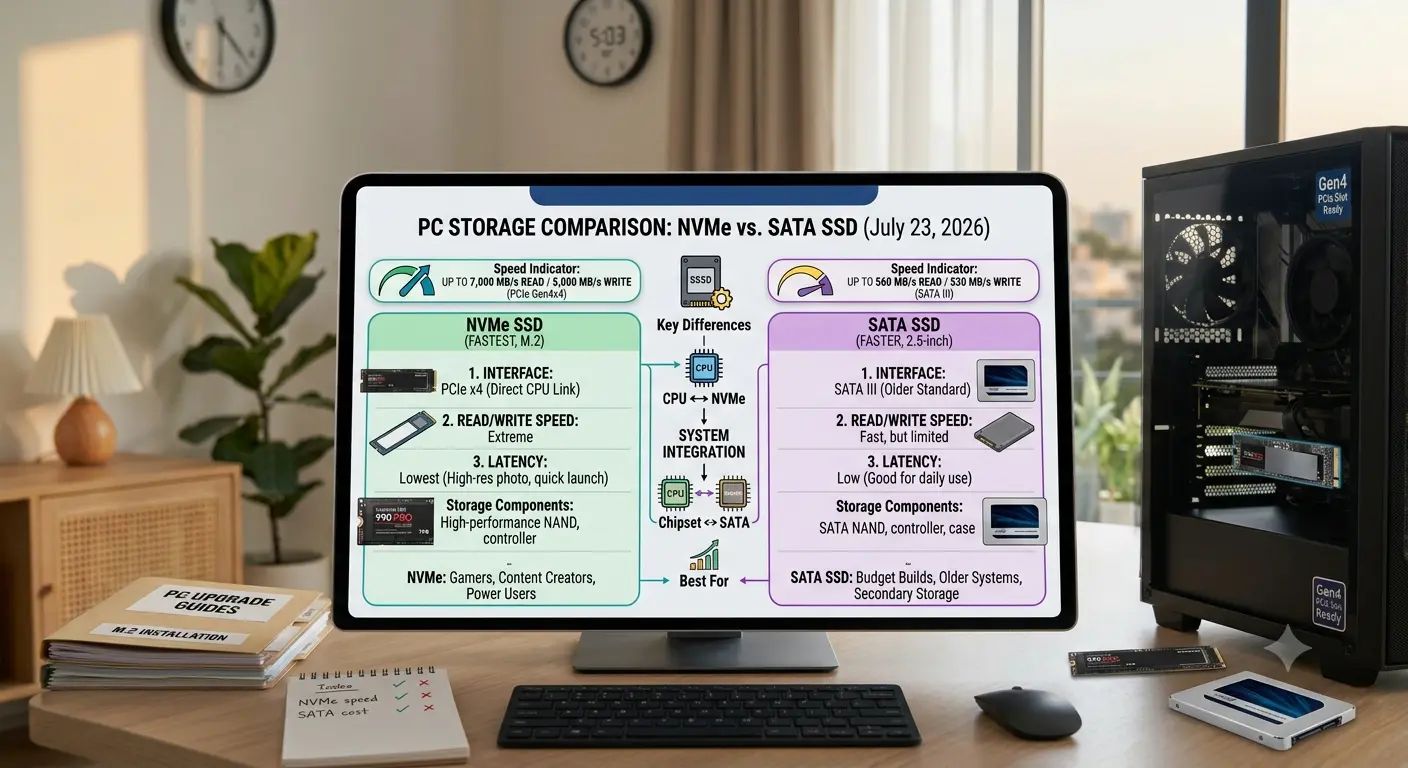
Both SATA and NVMe drives are SSDs. SATA uses an older interface while NVMe connects through PCI Express with much higher bandwidth.
Hard Drive vs SSD
The biggest performance jump comes from replacing a traditional hard drive with an SSD. The difference between SATA SSD and NVMe SSD is much smaller.
Boot Times
NVMe drives can be faster in benchmarks, but Windows startup depends on drivers, services and hardware checks.
Everyday Applications
Opening browsers, Office applications and normal programs often feels similar on good SATA and NVMe SSDs.
Gaming
NVMe SSDs can improve loading times in some cases but do not increase frame rates. Graphics cards, processors and memory have a bigger impact.
Where NVMe Wins
Large file transfers, video editing, virtual machines, software development and other heavy workloads benefit more from NVMe bandwidth.
New PC Builds
For new computers, NVMe is usually the better choice because price differences have become smaller and modern systems support it widely.
File Transfers
Moving large video projects, games or archives is where NVMe provides a clear advantage over SATA SSDs.
Video Editing
Creators working with large footage files can benefit from faster storage, although CPU, RAM and GPU performance remain important.
Development and Virtual Machines
Technical workloads involving many files and repeated storage operations often benefit from NVMe.
Heat Considerations
High-end NVMe drives can produce more heat than SATA SSDs. Cooling becomes more important for demanding workloads.
Capacity Matters
Storage size is often more important than maximum speed. A larger SSD may provide more practical value than a smaller premium drive.
Should You Replace SATA With NVMe?
Replacing a working SATA SSD is usually unnecessary unless you need more storage or have workloads that benefit from faster transfers.
User Recommendations
Basic users can choose either. Gamers benefit from NVMe in new builds. Creators and developers gain more from NVMe performance.
Common Mistakes
Do not buy only based on benchmark numbers. Consider reliability, capacity, warranty, quality and backups.
Final Verdict
NVMe is faster, but most users notice the biggest improvement when moving from hard drives to SSDs. Choose storage based on your actual workload.