
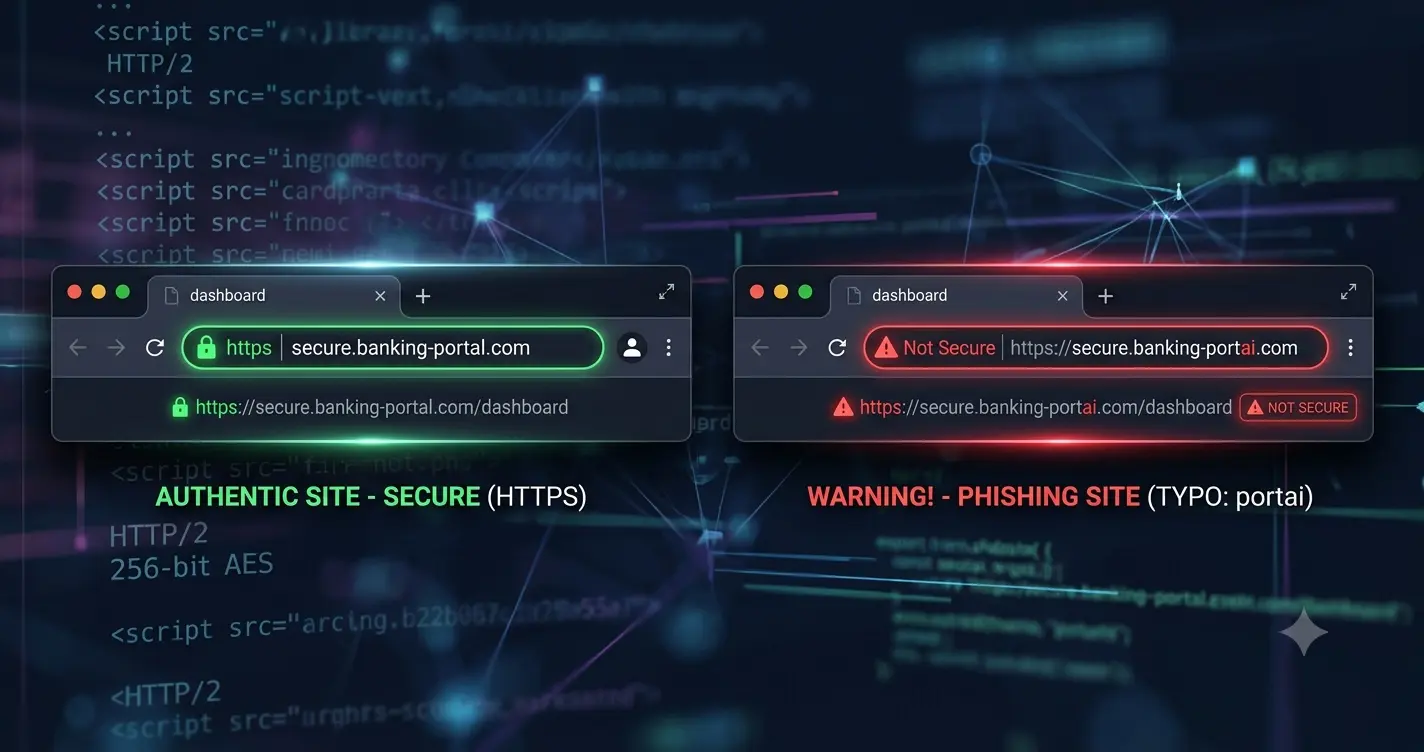
Cybercriminals build fake websites that look exactly like your bank or favorite digital store. If you type your credit card details into these cloned pages, they steal your money instantly. Here is exactly how to identify a malicious website before you expose your financial data.
Why the Security Padlock Is Not Enough
For years, security experts told users to look for the padlock icon in the browser address bar. Many people still believe this icon guarantees a website is legitimate and safe. This is a dangerous misconception.
The padlock only means the connection between your browser and the server is encrypted. It prevents third parties from intercepting your data while it travels across the internet. However, it does not verify who is actually receiving that data.
Today, anyone can obtain a free SSL certificate in seconds. Scammers install these certificates on their fake websites automatically. A padlock on a fake site does not guarantee safety. It just means your stolen data travels to the hacker securely. Never trust the padlock alone.
Inspect the Exact URL Structure
Phishing attacks rely heavily on visual deception. Attackers register domain names that look nearly identical to popular brands. You must read the address bar carefully before typing your card number.
Look for subtle character substitutions. A scammer might replace the letter O with the number zero. They might swap a lowercase L for the number one. These tiny changes are hard to spot on small mobile screens.
You must also understand how subdomains work. The actual domain name is always the last word directly before the dot com or dot net. For example, secure.amazon.com is a real page belonging to Amazon. However, amazon.secure-login.com belongs to whoever registered the secure-login domain. Scammers use this trick constantly to fool rushed buyers.
Identify Cloned Payment Gateways
Hackers can copy the visual design of a checkout page perfectly. They clone the logos, the colors, and the fonts. However, they struggle to replicate the backend functionality of a real payment processor.
Legitimate payment gateways use real-time validation. When you type a card number, the system instantly checks the length and the starting digits to identify the card network. If you type a fake sixteen-digit number into a real checkout, it will usually throw an error immediately.
Fake gateways often lack this live validation. They simply record whatever numbers you type and save them to a database. If you suspect a site is fake, type a clearly invalid card number first. If the site accepts it and moves to the next screen, you are on a phishing site.
Beware of Unusual Payment Requests
Legitimate digital stores process payments through standard, regulated networks. They accept major credit cards, PayPal, or established digital wallets. These regulated networks offer buyer protection and chargeback rights.
Scammers hate traditional credit card networks because fraud teams can reverse stolen funds. Phishing sites often try to steer you away from standard payment methods. They might claim their credit card processor is temporarily down.
If a website demands payment via direct bank transfer, cryptocurrency, or peer-to-peer cash apps, stop immediately. These payment methods are practically impossible to reverse. Once you send funds directly from your bank account to a scammer, that money is gone forever.
How Artificial Intelligence Changes Phishing
In the past, poor spelling and terrible grammar were the easiest ways to spot a scam. Phishing emails were often translated poorly from other languages. That defense no longer works.
Today, attackers use artificial intelligence to write perfect English. They generate highly personalized emails that address you by your real name. They reference your actual job title or recent public activities. These AI models eliminate the obvious linguistic errors that used to trigger our suspicion.
You can no longer rely on bad grammar to identify a threat. You must assume that a perfectly written email can still be a malicious trap. Focus your attention on the URL and the technical indicators instead of the text quality.
Analyze the Traffic Source and Urgency
Think carefully about how you arrived at the payment page. Did you type the address yourself, or did you click a link in an unexpected message? Scammers manipulate your emotions to bypass your critical thinking.
They send emails claiming your account will be suspended if you do not update your billing details immediately. They send text messages stating a package delivery failed due to unpaid customs fees. They create a false sense of panic.
If a message threatens negative consequences or demands urgent action, it is highly likely to be a scam. Never click the link provided in the message. Open a new browser tab and type the official website address yourself. Log into your account directly to check for real alerts.
Check the Age of the Domain
Legitimate e-commerce stores and banks have years of established internet history. Phishing sites are usually disposable. Attackers register them, use them for a few days, and abandon them when security companies block them.
You can verify the age of a website using a free WHOIS lookup tool. These tools show you the exact date someone registered the domain.
If a website claims to be a major international retailer but was registered two weeks ago, leave immediately. A brand new domain is a massive red flag, especially if the site is asking for direct credit card payments.
Look for Missing Website Fundamentals
Creating a single fake payment page is fast. Building a complete, functional website requires significant effort. Scammers rarely bother to build out the supporting pages of their cloned sites.
Scroll to the footer of the suspicious website. Click the links for the privacy policy, the terms of service, or the return policy. On a phishing site, these links are often dead. They might lead to a generic error page, or they might simply refresh the homepage.
You should also check the contact page. Legitimate businesses list real physical addresses and working customer support phone numbers. Phishing sites often only provide a generic web form or a free webmail address.
Use Virtual Credit Cards for Unknown Sellers
Even with perfect vigilance, you might eventually encounter a highly sophisticated scam. You should protect your actual bank account by using virtual credit cards for new or unknown websites.
Many modern banks and digital wallets allow you to generate a temporary card number. You can set a strict spending limit on this virtual card. Once the transaction completes, you can delete the card entirely.
If the website turns out to be a phishing trap, the stolen card number becomes completely useless to the hackers. They cannot drain your checking account or run up massive debts.