
Many people assume software stops working when a license expires, but the outcome depends on the licensing model.
Does Every License Expire?
No. Perpetual, subscription, trial, educational, and business licenses all behave differently.
Perpetual Licenses
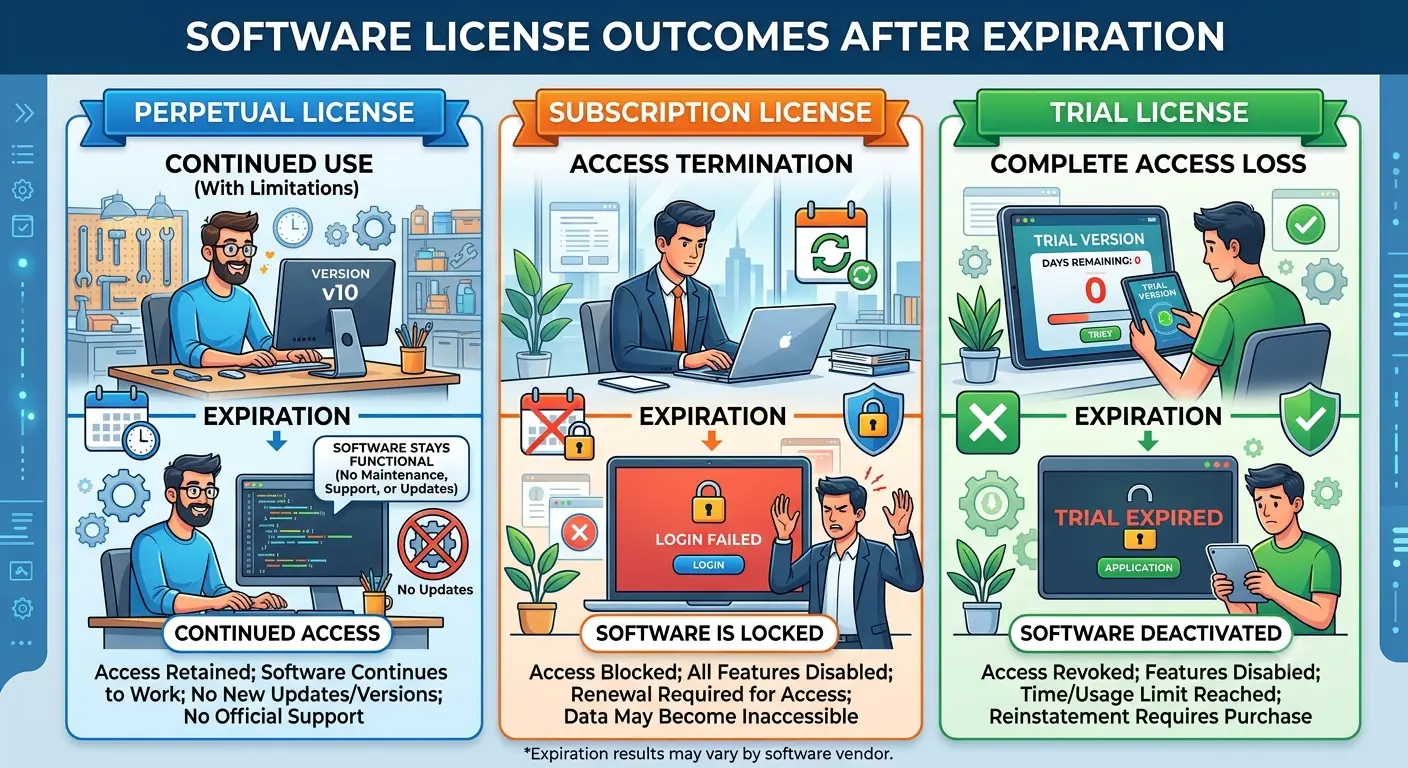
A perpetual license allows continued use of the purchased version after a one-time payment. It generally continues working, although security updates and new features may eventually end.
Subscription Licenses
Subscriptions provide access while payments remain active. When a subscription ends, premium features, cloud services, or editing capabilities may be reduced according to the publisher’s policies.
Trial Licenses
Trial licenses are temporary evaluation versions that usually expire after a fixed number of days.
Educational Licenses
Educational licenses often remain valid while eligibility requirements are met.
Business Licenses
Organizations commonly renew centralized agreements instead of managing individual licenses.
What Actually Changes?
License expiration may result in:
• Read-only access
• Loss of cloud services
• Disabled updates
• Limited functionality
• Restricted premium features
Updates vs License Expiration
Software updates and licensing are separate. A perpetual license may continue working even after updates end.
Can You Renew?
Many subscription products allow renewal. Perpetual licenses generally do not require renewal for the purchased version.
Common Misconceptions
• Expired software does not always stop working.
• Perpetual licenses usually do not include future major versions.
• Many publishers still offer perpetual licensing alongside subscriptions.
Final Thoughts
Understanding your software’s licensing model helps avoid unexpected interruptions and ensures you choose software that fits your long-term needs.
1 thought on “What Actually Happens When a Software License ‘Expires’?”