
Introduction
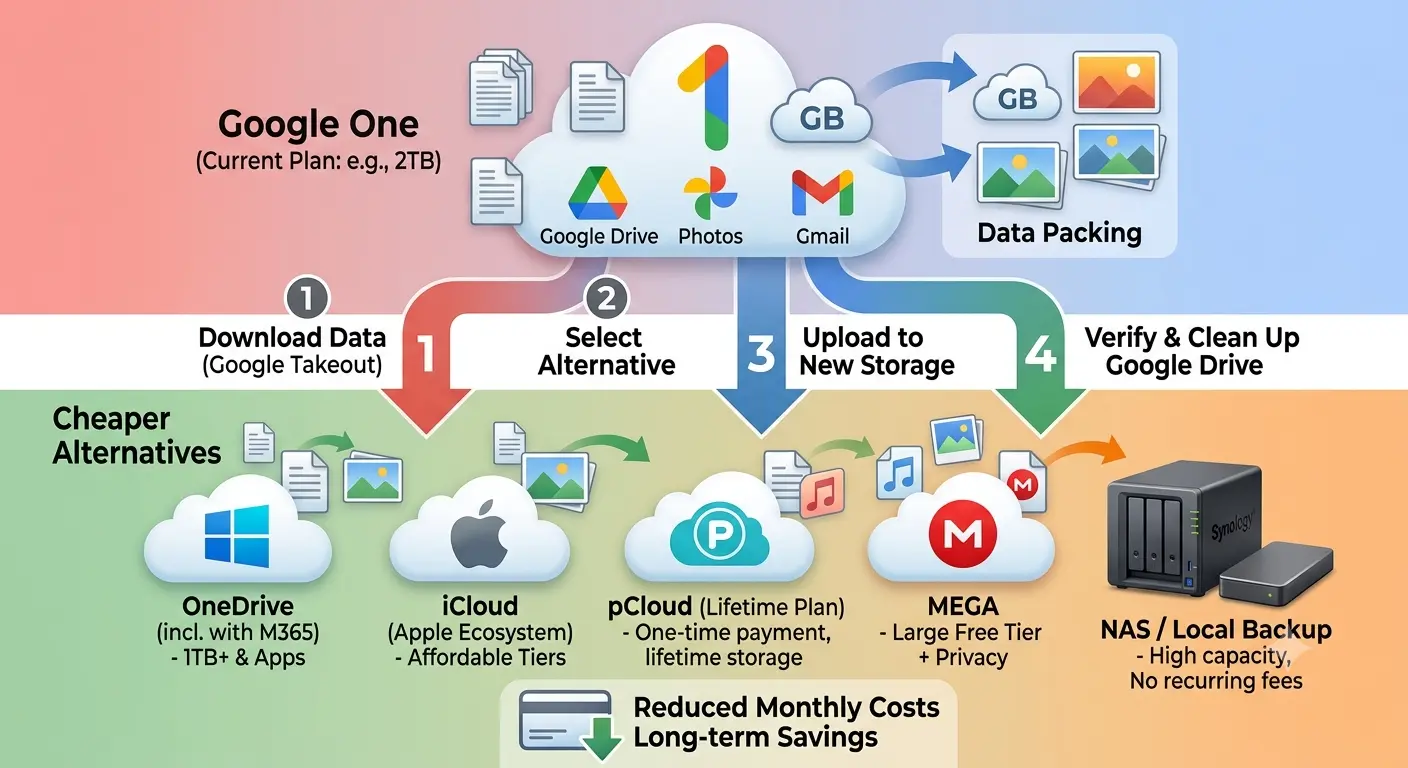
Cloud storage subscriptions are convenient, but they can become expensive over time. Many people continue paying for Google One because moving providers seems difficult. With proper planning, migrating files is straightforward and can be completed without losing important data.
Step 1: Understand Why You’re Switching
- Lower monthly costs
- More storage
- Better privacy
- Family sharing
- Productivity features
- Different ecosystem integration
Step 2: Review Current Storage Usage
Check Google Drive, Google Photos, Gmail, shared files, and backups before choosing a new plan.
Step 3: Choose a New Provider
Compare pricing, storage, synchronization, apps, security, sharing, and customer support.
Step 4: Download Existing Files
Keep a complete local backup before cancelling Google One.
Step 5: Upload to the New Service
Upload gradually and verify every folder before deleting originals.
Step 6: Organize Your Files
Remove duplicates, archive old projects, and improve folder structure.
Step 7: Update Your Devices
Install the new sync application on every device and verify synchronization.
Step 8: Update Shared Links
Replace important Google Drive links with links from the new provider.
Step 9: Keep Both Services Active
Run both services briefly while checking synchronization and shared folders.
Step 10: Cancel Only After Verification
Confirm backups, shared folders, and important documents before cancelling.
Common Mistakes
Cancelling Too Early
Never cancel before verifying migration.
Forgetting Gmail Storage
Google One storage is shared across Gmail, Drive, and Photos.
Skipping Local Backups
Always keep an offline copy.
Ignoring Shared Files
Recreate sharing permissions.
Frequently Asked Questions
Will I lose my files?
Not immediately, but storage limits may affect syncing.
How long does migration take?
Hours for small libraries, days for larger ones.
Can I keep Google Drive?
Yes, though storage limits may change.
Should I keep both services?
Some users do for backup redundancy.
Final Thoughts
Plan carefully, verify everything, and only cancel Google One after confirming a successful migration.