
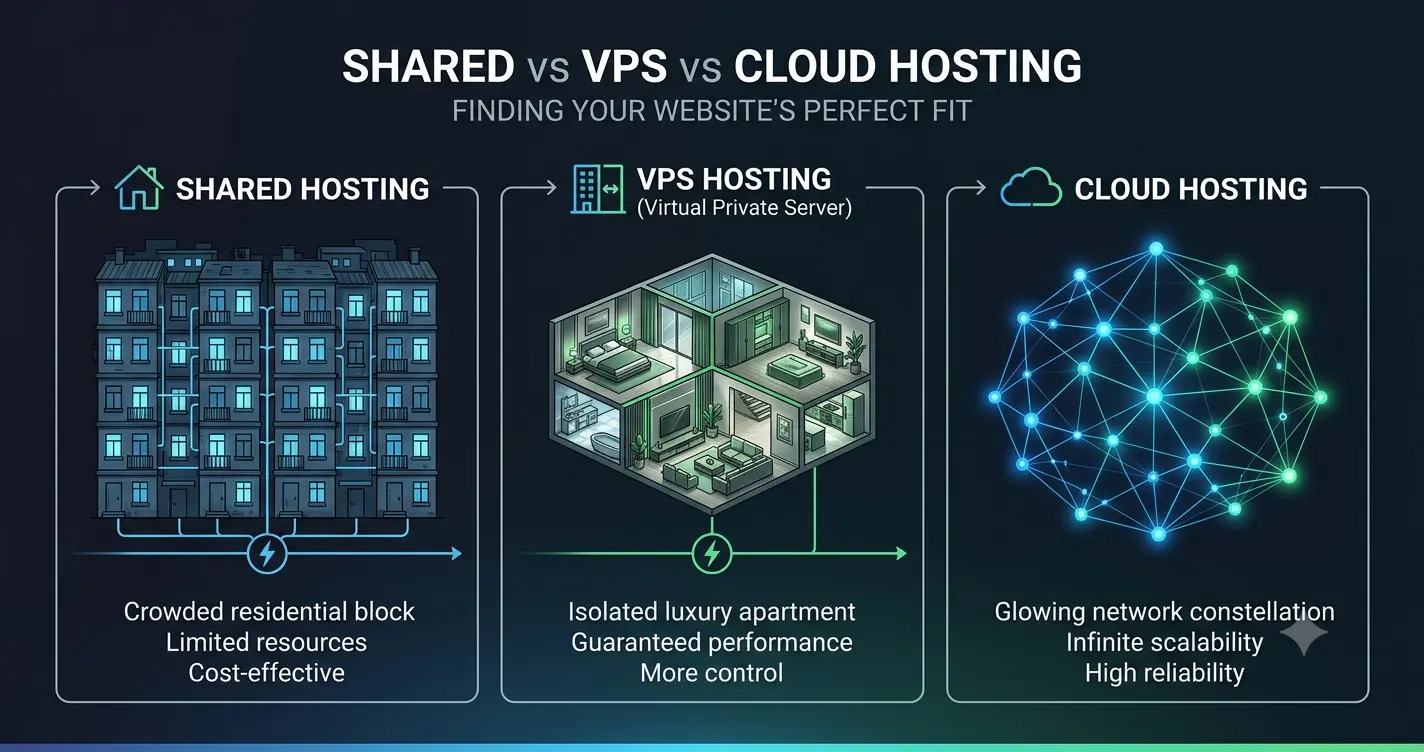
Choosing the wrong web hosting environment will throttle your business before it even has a chance to grow. Your hosting choice dictates how fast your pages load, how much traffic your server handles, and how often your site crashes.
This guide breaks down the structural differences between shared, virtual private server, and cloud environments to help you make an informed decision.
Shared Hosting: The Budget Starting Point
Shared hosting is the cheapest tier of web infrastructure available. In this environment, a single physical server hosts hundreds or even thousands of independent websites simultaneously. All of these websites share the exact same hardware pool, including CPU processing power, RAM, and hard drive storage.
The Advantage of Low Costs
The primary benefit of a shared setup is affordability. Hosting companies can offer entry-level plans for a small monthly fee because they split the hardware operational costs across hundreds of paying accounts. This makes it an ideal choice for testing a fresh concept, hosting a personal portfolio, or launching a low-traffic informational site.
The Problem with Shared Resources
The core weakness of shared hosting is lack of isolation. If a neighboring website on your server experiences a sudden traffic spike, it can consume all the available processing memory.
This leaves your store starved for resources, causing your pages to load slowly or display a 503 error code. You have zero control over who shares your server space, making performance highly unpredictable.
Virtual Private Server (VPS) Hosting: Isolated Performance
A Virtual Private Server uses specialized software to split a single physical server into multiple isolated digital compartments. While you still technically share a physical machine with other users, your account receives dedicated allocations of CPU cores and RAM that belong entirely to you.
Why Isolation Matters for Business
An isolated environment provides a powerful security and performance boundary. A traffic surge or a malware infection on a neighboring site cannot cross over into your file directory. Your site maintains stable loading speeds because your dedicated resources are always locked and waiting for your traffic.
Server Control and Customization
A VPS environment typically grants deep administrative access to your system. You can install specific caching architectures, adjust database execution rules, and update PHP versions to match your software requirements. This level of customization is completely blocked on shared plans, where the hosting provider locks down global configurations to protect the crowd.
Cloud Hosting: Unlimited Scalability
Cloud hosting completely abandons the single-machine server model. Instead of hosting your files on one physical computer, your website runs on a massive network of interconnected virtual servers. This cluster of machines pools its resources to power your application.
Surrounding the Traffic Spike Threat
The biggest selling point of cloud infrastructure is its ability to handle sudden traffic surges smoothly. If your marketing campaign goes viral, the network automatically spreads the incoming resource load across multiple machines.
Some cloud providers offer auto-scaling features. This means the system detects a traffic spike and instantly provisions extra CPU power to keep your checkout online.|
Check for Caching Plugins
High Availability and Data Redundancy
Because your site lives on a network rather than a single hard drive, hardware failures will not take your store offline. If a physical server in the data center experiences a hardware malfunction, another machine in the cluster picks up the load instantly. This data redundancy ensures maximum uptime for mission-critical e-commerce operations.
4 thoughts on “Shared vs VPS vs Cloud Hosting: What Your Website Actually Needs”